FAIR template
First Article Inspection Report template for AS9102 FAIR packages
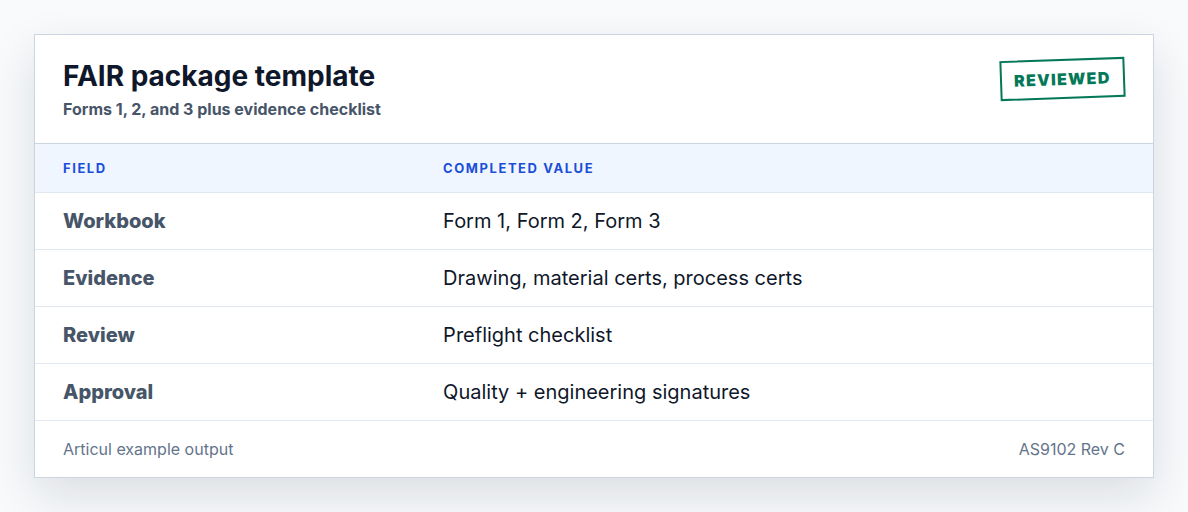
This combined template gives suppliers one workbook for Forms 1, 2, and 3, plus a Word package outline for teams that need a cover sheet or customer-facing checklist.
Updated July 2, 2026 · AS9102 Rev C · Ungated download
What the package includes
The workbook has separate sheets for Form 1 part accountability, Form 2 material/process accountability, and Form 3 characteristic accountability. The Word outline gives reviewers a front page for scope, evidence, and sign-off notes.
What auditors check
- Drawing and part revisions match the inspected article.
- Every drawing characteristic is ballooned and appears on Form 3.
- Materials, special processes, and functional tests have supplier and certificate evidence.
- Nonconformances have documented dispositions.
- Form 1 verification and approval fields are complete.
When to use a spreadsheet
A spreadsheet is useful for early review, customer upload preparation, or a small number of low-complexity FAIRs. A controlled system is safer when you need permissions, audit history, evidence files, approval invalidation, and repeatable export packages.
Related AS9102 resources
Frequently asked questions
Is this an official AS9102 form?
No. It is an Articul working template that captures the AS9102 Rev C data structure in our own layout. Always verify customer-specific form or portal requirements.
Can I use the workbook for a partial FAI?
Yes. Mark the FAIR as partial on Form 1, identify the baseline, and include only the affected characteristics and evidence needed for the changed scope.
Changelog
July 2, 2026: Published the AS9102 Rev C page, download assets, completed example image, FAQ schema, and sitemap entry.
Turn the template into a reviewed FAIR package
Articul pre-fills Forms 1-3 from the print and routes anything uncertain to you, including drawing notes and title-block fields, while tying ballooned characteristics to source regions before export.
Upload a drawingHosted upload is for non-controlled drawings only. Do not upload export-controlled (ITAR/EAR) technical data to hosted; ask about self-host.