AS9102 Form 1 template
AS9102 Form 1 template for part number accountability
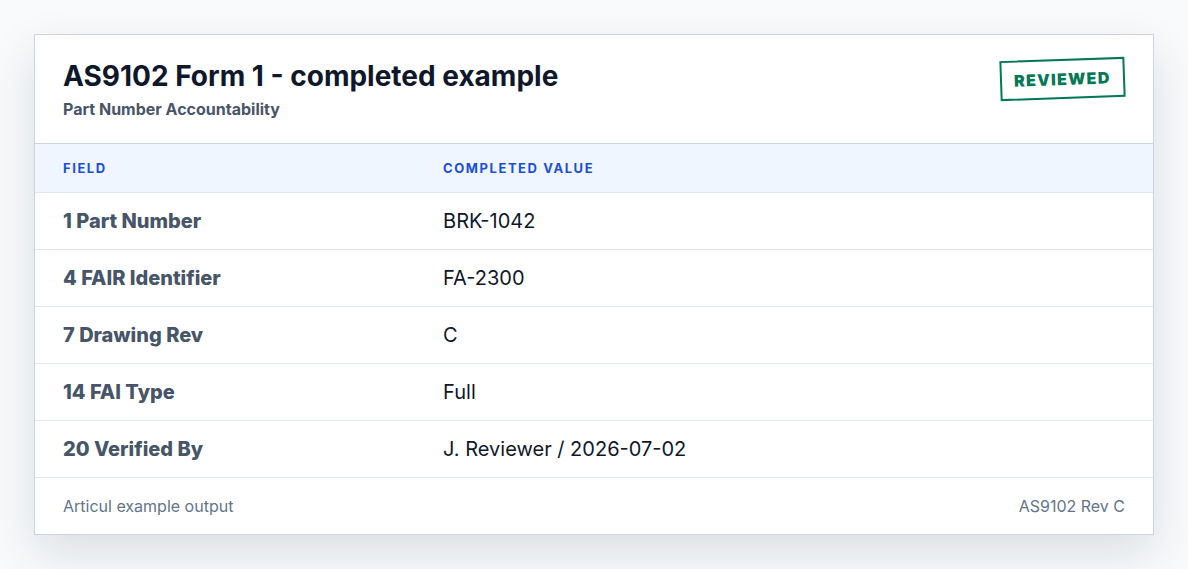
Form 1 anchors the FAIR: what part was inspected, what revision was used, whether the FAI is full or partial, and who verified and approved the package.
Updated July 2, 2026 · AS9102 Rev C · Ungated download
What is included
The template covers all Form 1 fields with requirement level, example values, and reviewer notes for conditional fields such as serial number, assembly references, and customer approval.
| Field | Name | Requirement | Example value | Reviewer note |
|---|---|---|---|---|
| 1 | Part Number | Required | BRK-1042 | Match drawing and purchase order. |
| 2 | Part Name | Required | Mounting Bracket | Use the engineering definition name. |
| 3 | Serial Number | Conditional | SN-0007 | Required when the part is serialized. |
| 4 | FAIR Identifier | Required | FA-2300 | Use a unique report identifier. |
| 5 | Part Revision Level | Conditional | C | Required when the part has a revision. |
| 6 | Drawing Number | Conditional | DWG-BRK-1042 | Required when defined separately. |
| 7 | Drawing Revision Level | Conditional | C | Must match the inspected drawing. |
| 8 | Additional Changes | Conditional | ECN-117 | List unincorporated changes when applicable. |
| 9 | Manufacturing Process Reference | Required | WO-88421 | Work order or traveler reference. |
| 10 | Organization Name | Required | Acme Aerospace | Supplier or internal organization. |
| 11 | Supplier Code | Optional | ACM001 | Use customer-assigned code when required. |
| 12 | Purchase Order Number | Optional | PO-77812 | Customer PO or contract reference. |
| 13 | Detail / Assembly FAI | Required | Detail | Identify whether this FAIR covers a detail or assembly. |
| 14 | Full / Partial FAI | Required | Full | Partial FAIRs must identify the baseline. |
| 15 | Assembly Part Number | Conditional | ASM-9001 | Use when this detail rolls into an assembly FAIR. |
| 16 | Assembly Part Name | Conditional | Actuator Assembly | Required when field 15 applies. |
| 17 | Assembly Part Type | Conditional | Sub-assembly | Required when field 15 applies. |
| 18 | Assembly FAIR Identifier | Conditional | FA-2294 | Link to the higher-level FAIR. |
| 19 | Documented Nonconformance(s) | Required | None | List NC records or state none. |
| 20 | FAIR Verified By | Required | J. Reviewer | Person who verified the FAIR. |
| 21 | FAIR Verified Date | Required | 2026-07-02 | Date of verification. |
| 22 | FAIR Reviewed / Approved By | Required | M. Quality | Approver or reviewer. |
| 23 | FAIR Reviewed / Approved Date | Required | 2026-07-02 | Date of approval. |
| 24 | Customer Approval | Conditional | N/A | Required when purchase order or customer requires it. |
| 25 | Customer Approval Date | Conditional | N/A | Date customer approved the FAIR. |
| 26 | Comments | Optional | First production run. | Use for context, not missing required data. |
Full vs partial FAI on Form 1
Field 14 is the place to state whether the FAIR is full or partial. For a partial FAI, include the baseline part number or previous FAIR reference and describe the change in the additional-changes/comments area.
Signature fields auditors check first
Fields 20 through 23 are required for verification and approval. A technically complete Form 2 and Form 3 package is still a draft until the verification and approval names and dates are present.
Related AS9102 resources
Frequently asked questions
What is AS9102 Form 1 used for?
Form 1 is Part Number Accountability. It identifies the part, FAIR identifier, revision, organization, FAI type, assembly relationship, nonconformance status, and approvals.
Is customer approval always required on Form 1?
No. Customer approval fields apply when required by contract, purchase order, or customer-specific quality clauses.
Changelog
July 2, 2026: Published the AS9102 Rev C page, download assets, completed example image, FAQ schema, and sitemap entry.
Turn the template into a reviewed FAIR package
Articul pre-fills Forms 1-3 from the print and routes anything uncertain to you, including drawing notes and title-block fields, while tying ballooned characteristics to source regions before export.
Upload a drawingHosted upload is for non-controlled drawings only. Do not upload export-controlled (ITAR/EAR) technical data to hosted; ask about self-host.