AS9102 Form 3 template
AS9102 Form 3 template for characteristic accountability
Use this ungated Excel template to list every ballooned design characteristic, its drawing requirement, measured result, and nonconformance reference. The layout is intentionally simple so it can be pasted into customer portals or reviewed before export.
Updated July 2, 2026 · AS9102 Rev C · Ungated download
What is included
The workbook includes a fillable Form 3 row template with the common header fields carried from Form 1 plus the characteristic-accountability columns: characteristic number, reference location, designator, requirement, results, designed tooling, nonconformance number, and comments. The field guide below explains what each column is for.
| Field | Name | Requirement | Example value | Reviewer note |
|---|---|---|---|---|
| 1 | Part Number | Required | BRK-1042 | Carried from Form 1. |
| 2 | Part Name | Required | Mounting Bracket | Carried from Form 1. |
| 3 | Serial Number | Conditional | SN-0007 | Required when serialized. |
| 4 | FAIR Identifier | Required | FA-2300 | Carried from Form 1. |
| 5 | Characteristic Number | Required | 12 | Matches the balloon number on the drawing. |
| 6 | Reference Location | Conditional | Sheet 1 / B4 | Sheet, zone, or model reference. |
| 7 | Characteristic Designator | Conditional | Key | Critical, key, major, or customer designator. |
| 8 | Requirement | Required | 0.250 +/-0.005 THRU | Requirement exactly as interpreted from drawing. |
| 9 | Results | Required | 0.2498 | Measured result, attribute result, or verified note. |
| 10 | Designed / Qualified Tooling | Conditional | N/A | Only when tooling controls acceptance. |
| 11 | Nonconformance Number | Conditional | N/A | Required for nonconforming results. |
| 12 | Additional Data / Comments | Optional | CMM report 4421 | Inspection reference or comment. |
How to use the template
- Balloon the drawing first so field 5 has a stable characteristic number.
- Use field 6 for sheet/zone, model item, or another traceable reference.
- Copy the requirement into field 8 in your own working notation; do not leave notes or GD&T frames out.
- Record real measured values in field 9 where the characteristic is variable.
- If a result is nonconforming, enter the NC number in field 11 and keep the disposition with the package.
Completed example
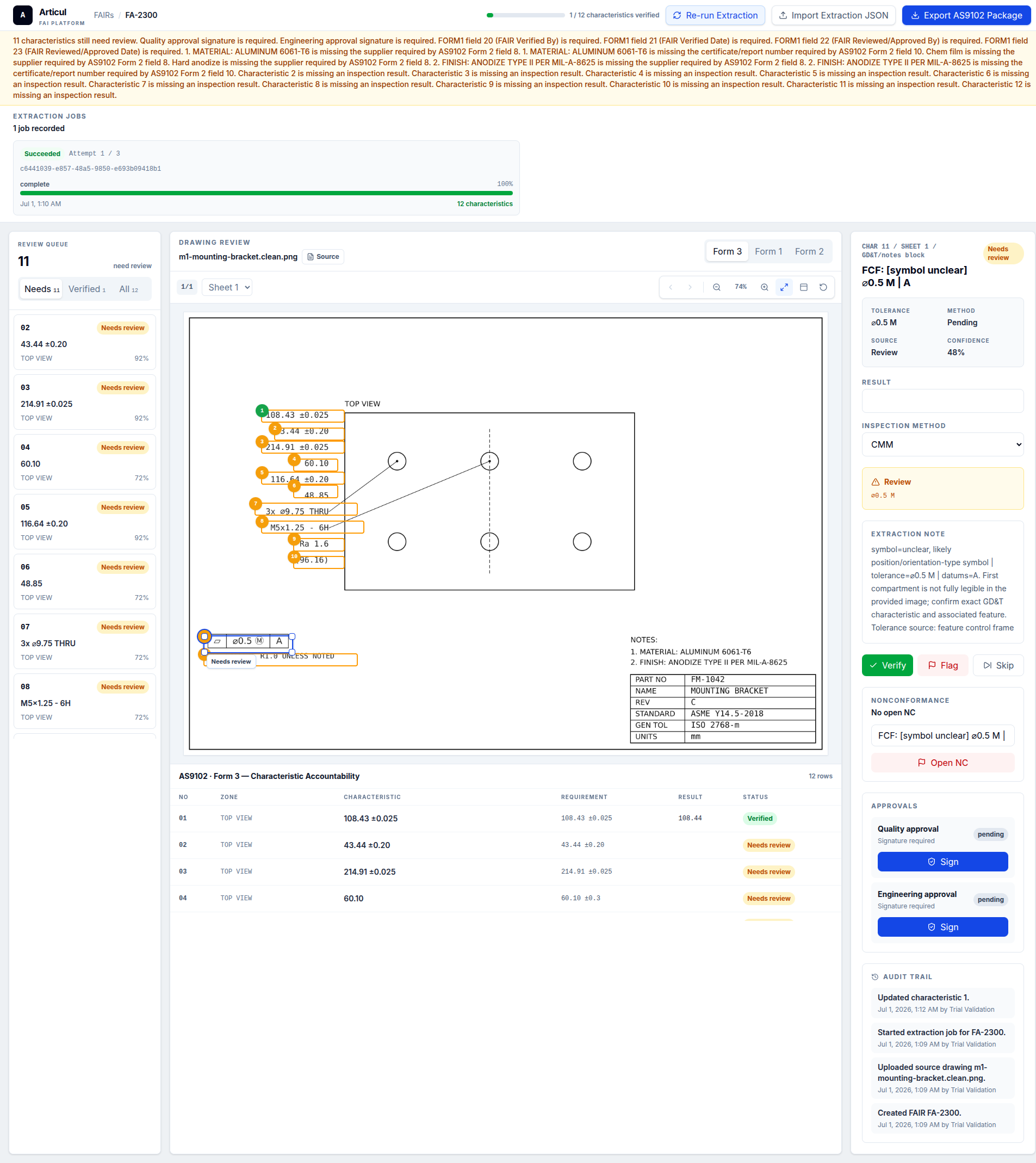
The example image shows the level of specificity auditors expect: the balloon number is not enough by itself. Each row needs the requirement and the result that proves acceptance.
Audit checks before release
Before release, confirm that every balloon appears exactly once, no result is blank or just marked OK for a variable dimension, and every nonconforming result references a documented NC disposition.
Related AS9102 resources
Frequently asked questions
Does every drawing note need a Form 3 row?
Yes. Notes, finish callouts, material notes, GD&T frames, and title-block tolerance requirements are design characteristics when they define acceptance criteria.
Can I use a spreadsheet for AS9102 Form 3?
Yes. AS9102 defines the data that must be captured. Customers may still require a portal or their own import format, so verify purchase-order clauses.
Changelog
July 2, 2026: Published the AS9102 Rev C page, download assets, completed example image, FAQ schema, and sitemap entry.
Turn the template into a reviewed FAIR package
Articul pre-fills Forms 1-3 from the print and routes anything uncertain to you, including drawing notes and title-block fields, while tying ballooned characteristics to source regions before export.
Upload a drawingHosted upload is for non-controlled drawings only. Do not upload export-controlled (ITAR/EAR) technical data to hosted; ask about self-host.