Ballooned drawing examples
Ballooned drawing examples paired with Form 3 rows
These examples use Articul benchmark fixtures. Each image keeps the drawing visible, numbers characteristics, and pairs the sheet with Form 3 rows you can inspect.
Updated July 2, 2026 · AS9102 Rev C · Source-linked guide
Downloadable examples
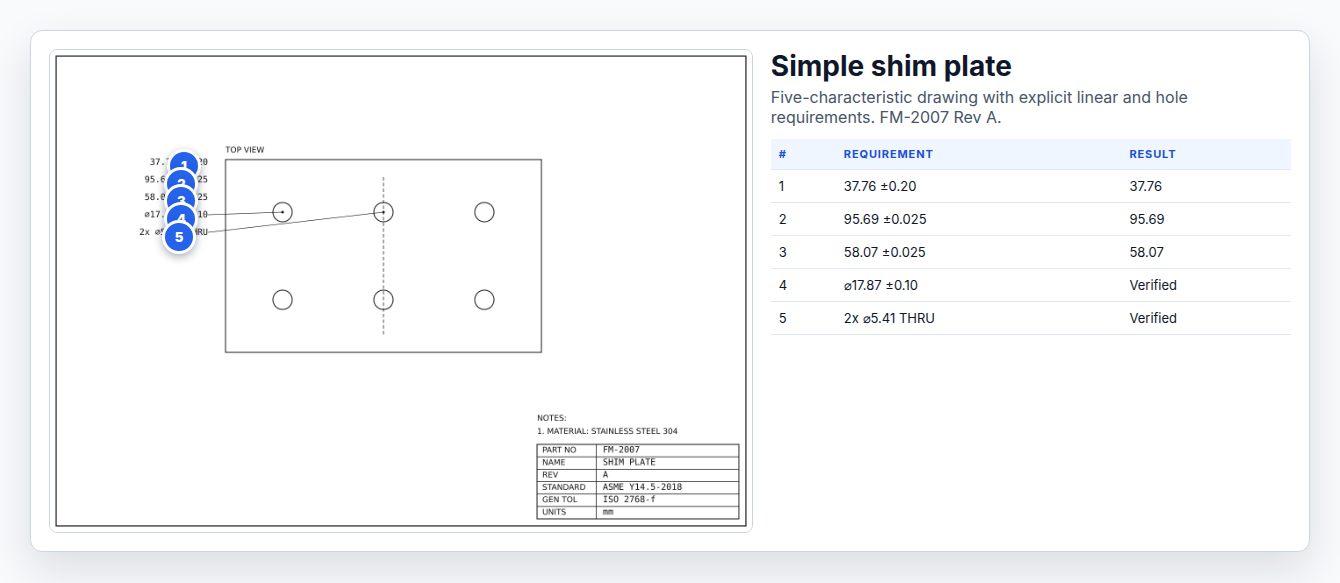
Simple shim plate
Five-characteristic drawing with explicit linear and hole requirements.
5 inspectable characteristics shown from FM-2007 Rev A.
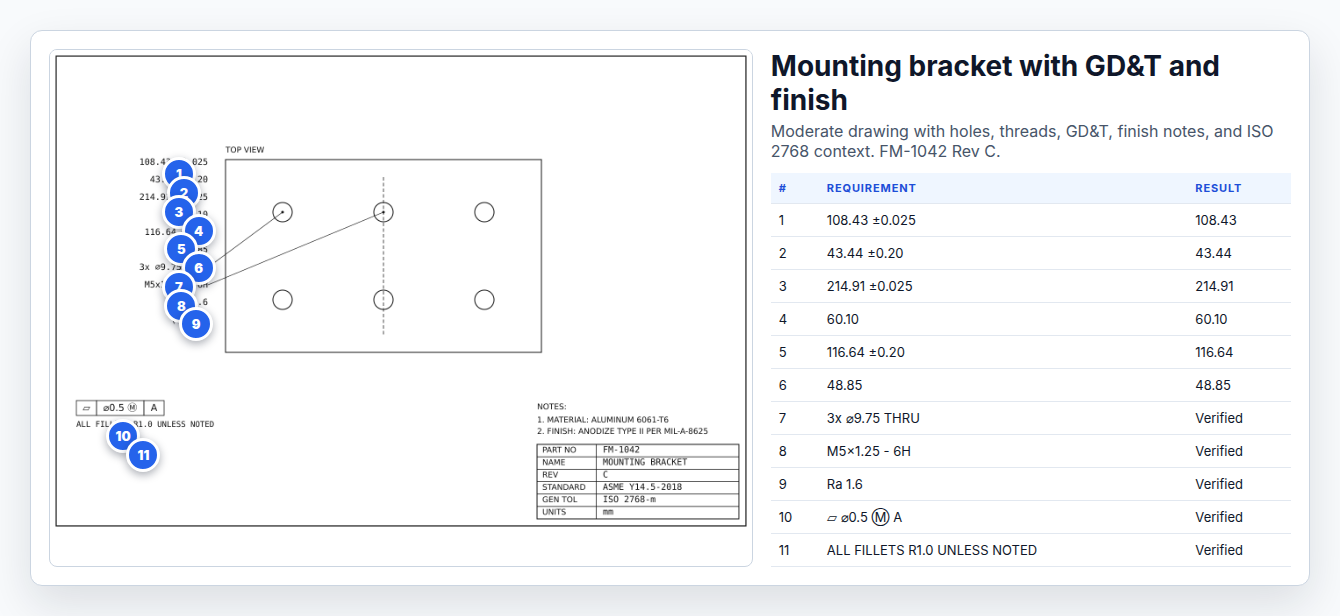
Mounting bracket with GD&T and finish
Moderate drawing with holes, threads, GD&T, finish notes, and ISO 2768 context.
11 inspectable characteristics shown from FM-1042 Rev C.
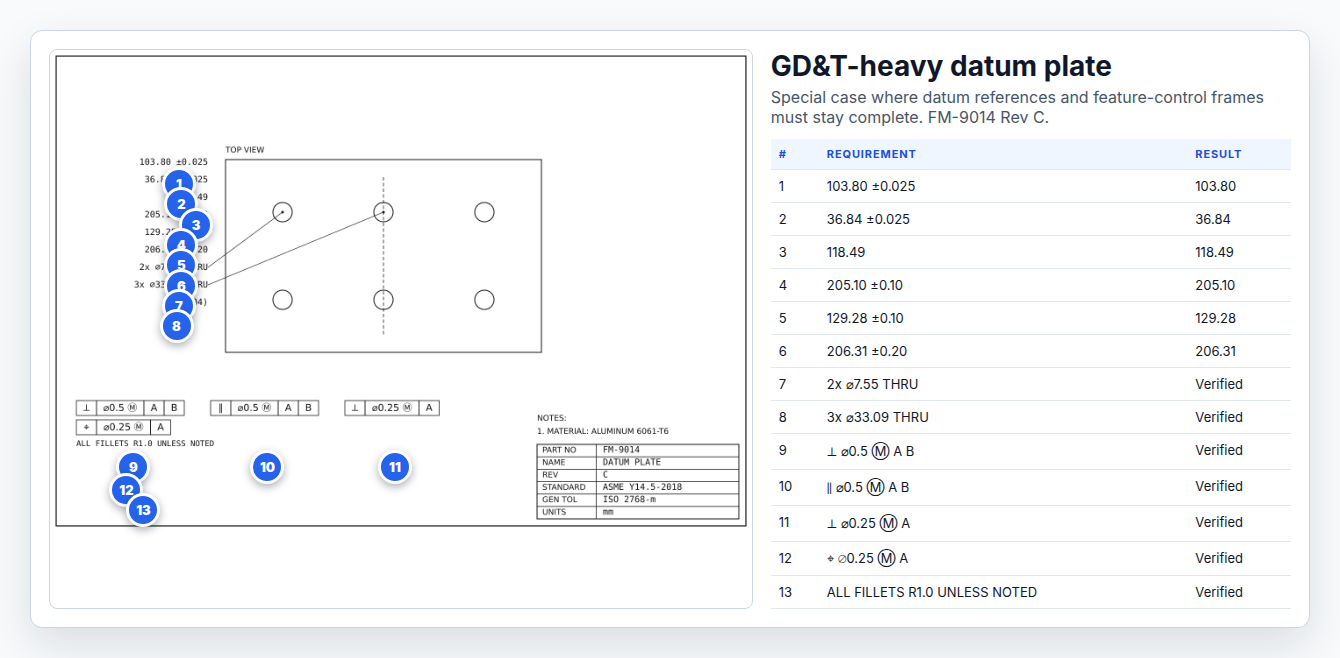
GD&T-heavy datum plate
Special case where datum references and feature-control frames must stay complete.
13 inspectable characteristics shown from FM-9014 Rev C.
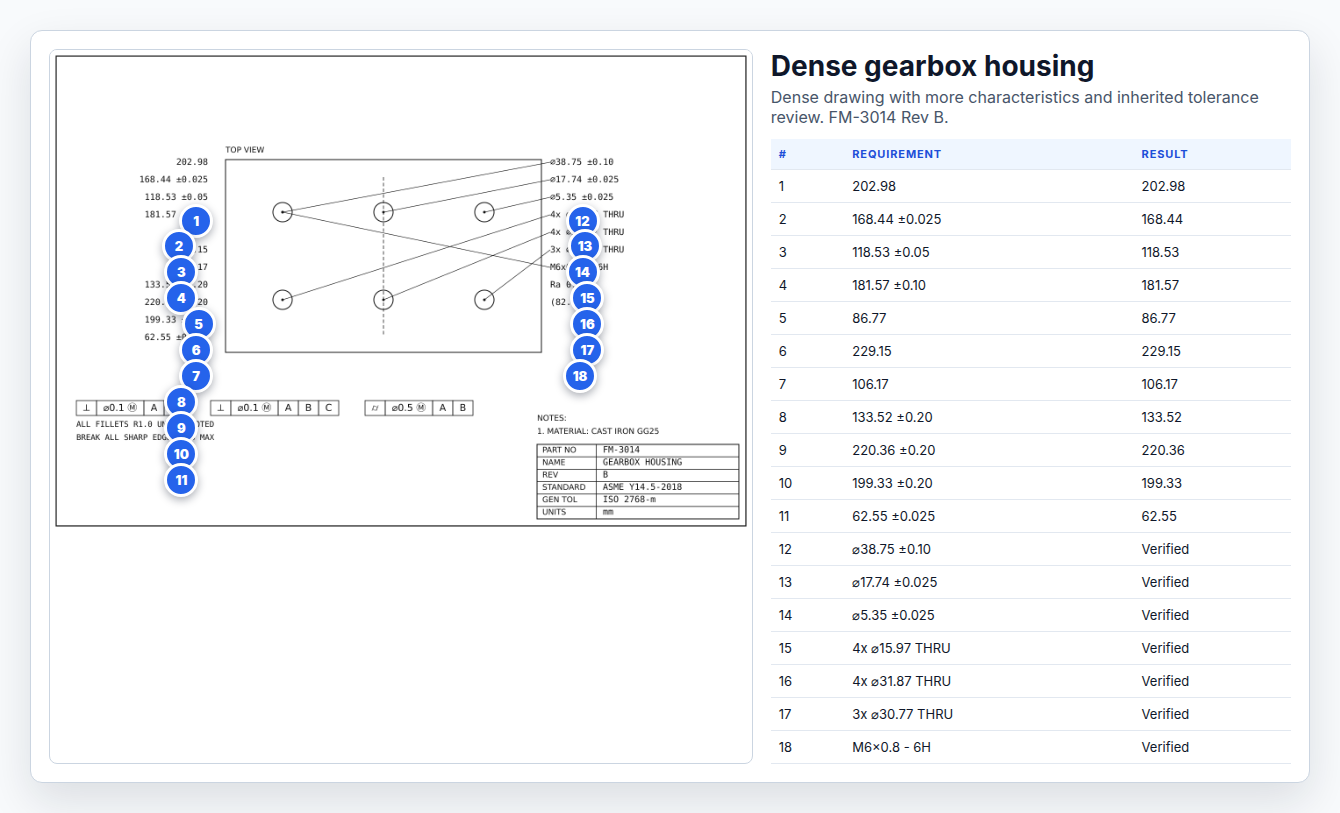
Dense gearbox housing
Dense drawing with more characteristics and inherited tolerance review.
18 inspectable characteristics shown from FM-3014 Rev B.
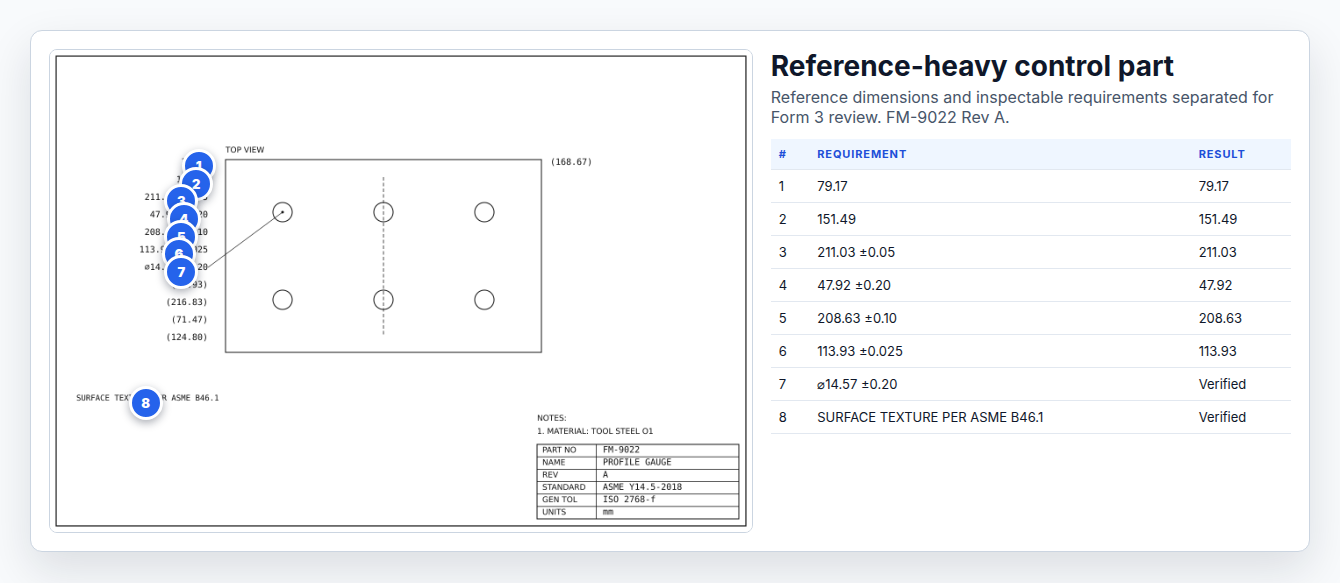
Reference-heavy control part
Reference dimensions and inspectable requirements separated for Form 3 review.
8 inspectable characteristics shown from FM-9022 Rev A.
What to copy from these examples
- Name image files with the search intent and part type.
- Keep the drawing readable after balloons are added.
- Pair every balloon with a Form 3 row, not just a callout list.
- Separate reference dimensions from inspectable characteristics.
- Use alt text that describes the drawing type and AS9102 context.
Related AS9102 resources
Source notes
Frequently asked questions
What makes a good ballooned drawing example?
A good example shows the drawing, the balloon number, and the matching Form 3 row. A pretty sheet is not enough if the requirement and result cannot be traced.
Do notes and GD&T frames get balloons?
Yes. Any note, GD&T frame, finish callout, or specification reference that defines an inspectable requirement needs traceability into the FAIR package.
Changelog
July 2, 2026: Published the Wave 2 AS9102 resource page with source notes, FAQ schema, visible freshness date, and sitemap entry.
Prepare the FAIR before the rework starts
Articul pre-fills Forms 1-3 from the print and routes anything uncertain to you, including drawing notes and title-block fields, while keeping the review tied to the source drawing.
Upload a drawingHosted upload is for non-controlled drawings only. Do not upload export-controlled (ITAR/EAR) technical data to hosted; ask about self-host.